

Your charging station, in your hands.
Monitor, price and fix every charger, wherever you are.
Every charger. Every session.
Complete control.
We make the hardware and the software. So Zev Connect can watch, fix, power and price every charger you own, from anywhere.Watch, fix, power and price every charger, from anywhere.
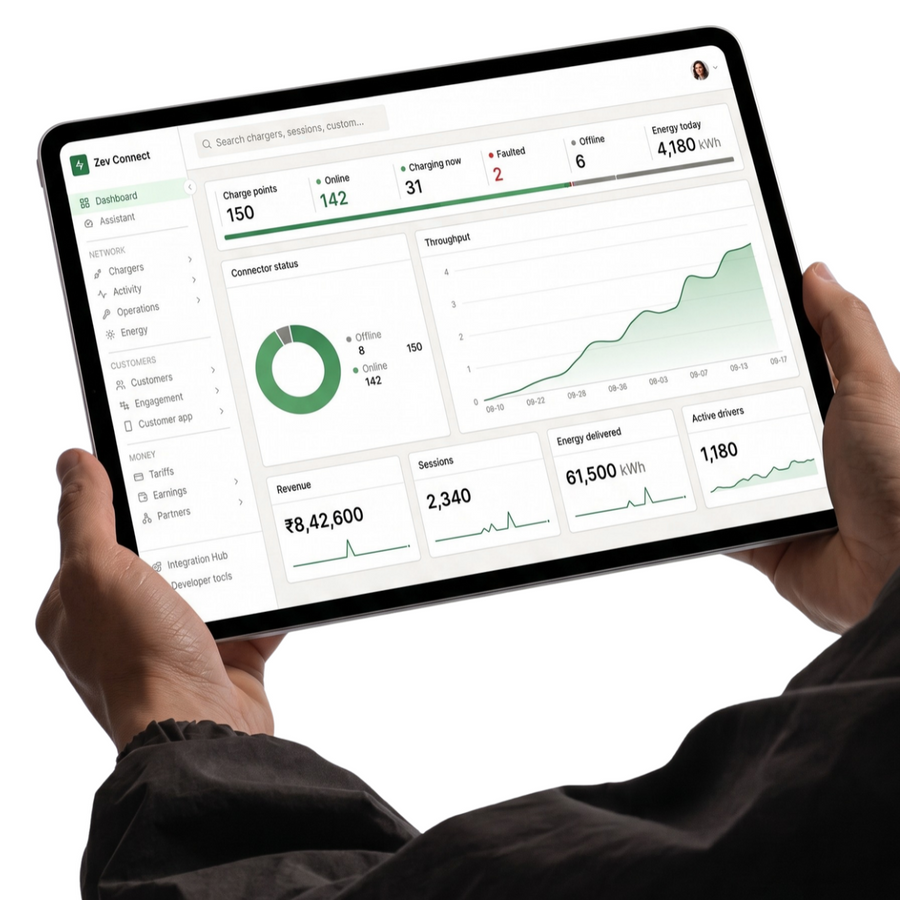


One dashboard.
Your entire charging operation.
Simple to set up.
Simple to charge.

- UPI QR
- Zevpoint app
- RFID card
Same charger. Your rules, site by site.
Your station. Your tariff. Your customers.
You set the price drivers pay, and your customer data stays with you.
How owning works →- No franchise fee
- No joining fee
- No setup fee
- No platform fee
- No annual subscription
- No lock-in
Be seen by every passing EV.
Add our optional OCPI integration and your charger appears on the maps and charging apps drivers already use — roaming across partner networks, not just your own.
Move your existing chargers onto the Zevpoint network.
- ✓No new hardware, no re-cabling, no site downtime
- ✓Keep your existing tariffs, or set new ones per user group
- ✓Every site, old and new, reports into one dashboard
Zev Connect,
answered.
Ask us a question →Zev Connect is OCPP software to run EV charging stations. It shows every charger live, sets tariffs and access, fixes faults remotely, updates firmware and produces reports, for one site or many.
OCPP 1.6, 2.0.1 and 2.1. The charger and the software agree the version when the charger connects. Chargers sold as OCPP 2.0 connect as 2.0.1.
Yes. You set the power limit, and the charger shares it between the cars plugged in, adjusting as each car's need changes.
Yes. Create groups such as residents, staff, fleets and public drivers, each with its own tariff. A station can be public or private.
They scan the QR on the charger and pay, tap an RFID card, or use the Zevpoint app. You can offer one, two or all three. How scan & pay works.
The error code is shown as a plain cause with next steps. Many faults are cleared remotely, and you get an email alert. If a fault needs a visit, an engineer is sent.
Yes. Firmware updates are sent over the air, with no site visit.
Your station shows in the Zevpoint app, and can also be listed on partner charging apps through OCPI roaming.
Yes. Each staff member gets a role with only the screens and actions they need.
Sessions, energy, earnings, faults and downtime, as spreadsheet (CSV) files.
Tell us about the site. We'll tell you what fits.
An engineer visits your plot and measures it. You get the drawings and costs for your actual site, and with the Project report, the payback — so the decision is made on real numbers.